Happy Wednesday everyone!
Hope you're enjoying the week! Things are getting more and more fun around the AGF HQ (cough we'll be releasing The Denim Studio soon cough lol). As you might know, we love sharing all the fun things we do on social media. During the last Quilt Market in Houston (Can you believe it's almost time for market again?), we gave tours of our booths and Sample Spree with the help of Periscope, a live video streaming app that allows users to see real time interaction. This was received with so much positivity and gratitude, that we plan on bringing you more live streams in the next few weeks. In addition to Periscope, today we're here to tell you about a fun new way to follow everything we do at the AGF HQ. Sewists and quilters, we present to you Snapchat! (add us: ArtGalleryFab)
For those of you who aren't familiar with this app, it is a social media outlet where people are able to send photos and videos with short captions. When shared, these pictures and videos can only be viewed for a few seconds. You may be wondering, "What's the point of seeing something for a few seconds?" Well, you're able to share your candid moments without worrying about them staying on your feed forever. Since we want you to get know the AGF team better, here's what you can expect to see in our Snapchat!
AGF Snapchat Stories:
- Behind the scenes (photoshoots, AGFHQ, Quilt Market, etc.)
- Happy mail
- Daily Inspiration
You are probably thinking "Gabs, all this sounds great, BUT HOW DO I USE THIS APP?" Good thing I have a little a little 101 on how Snapchat works and how you can use it. Once you download the application from your app center, setting up an account is easy. (just follow the steps)
(image 1)
Once you have created your account, this is what the Home-screen will look like.
(image 2)
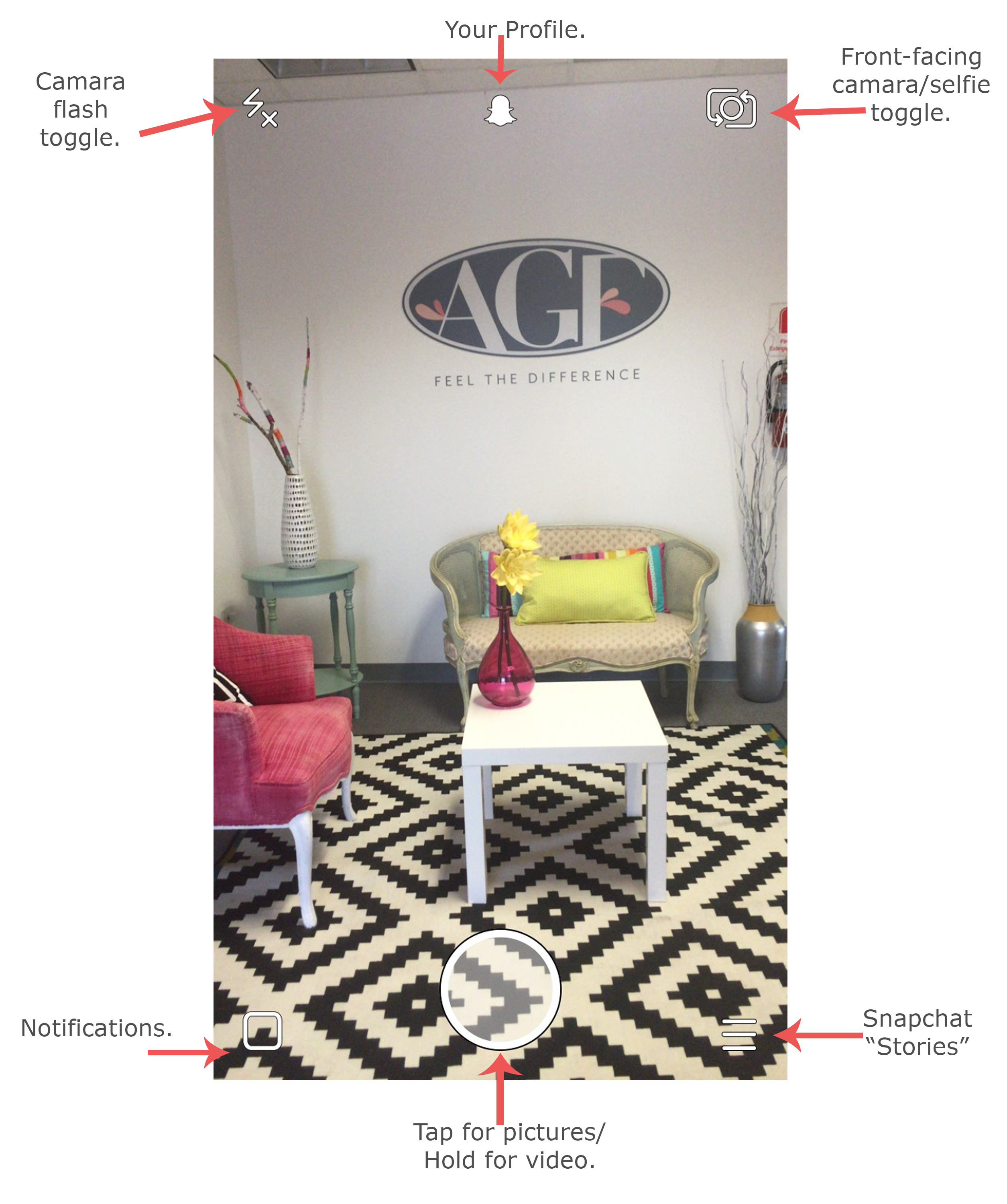
In case you're wondering what all these icons mean, here is a little break down (from left to right).
- Camera Flash toggle: This option let you turn the flash on/off before you take your picture.
- Ghost Icon (center): Takes you to your profile.
- Front facing camera/ "selfie" toggle: Lets you flip the camera so you can take tons of sewing selfies.
- Notifications: This little square lets you know if any of your friends have shared a snap with you. If they have, a little pink number will show up.
- Circle (in the middle): This is where the action happens! You can tap it to take a picture or hold the circle to take a video.
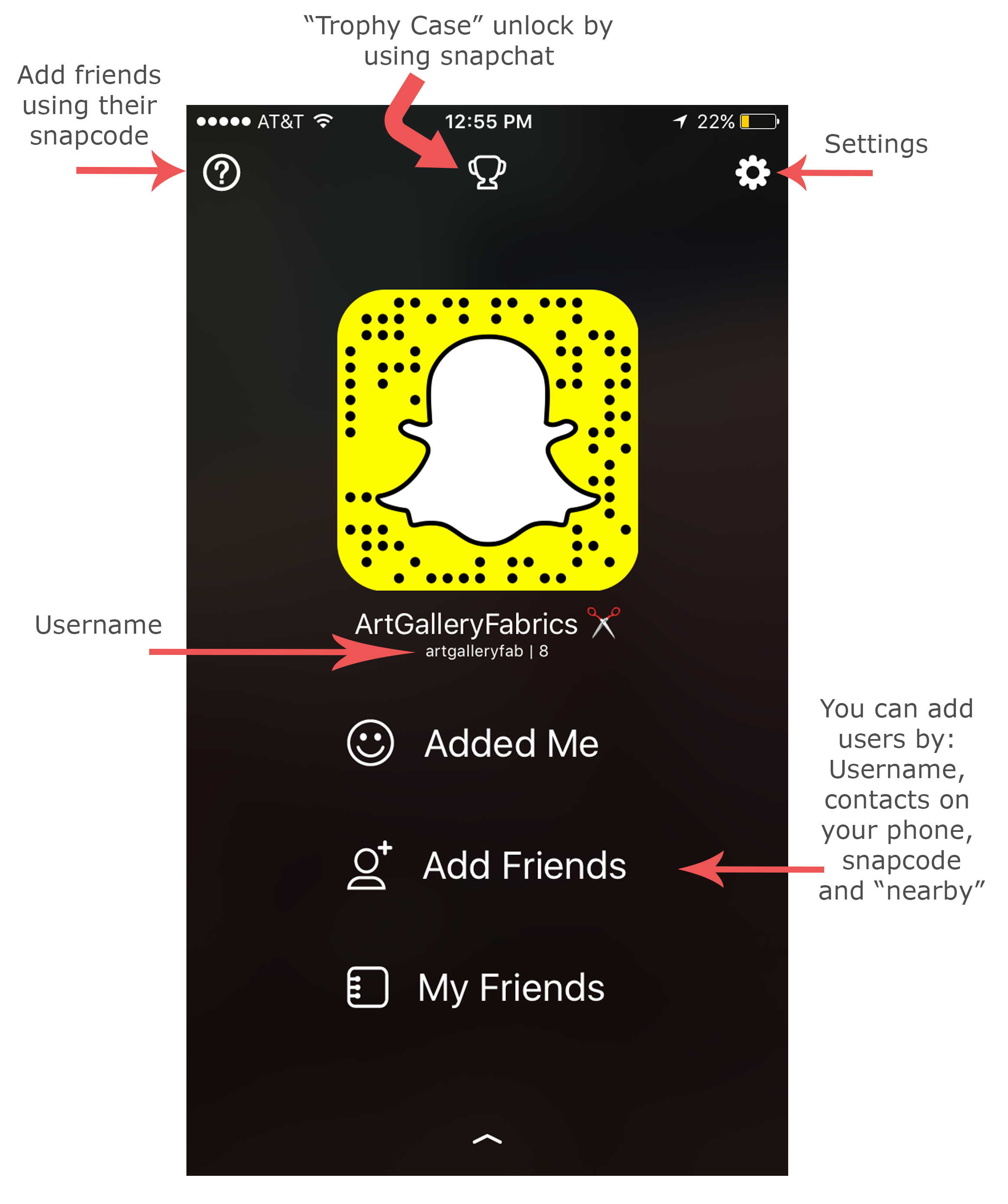
Now that you know how to get around your Snapchat home screen, let's take a visit to your profile. Tap on the ghost in the middle of the screen (refer to the image 2, above for reference).
 (image 3)
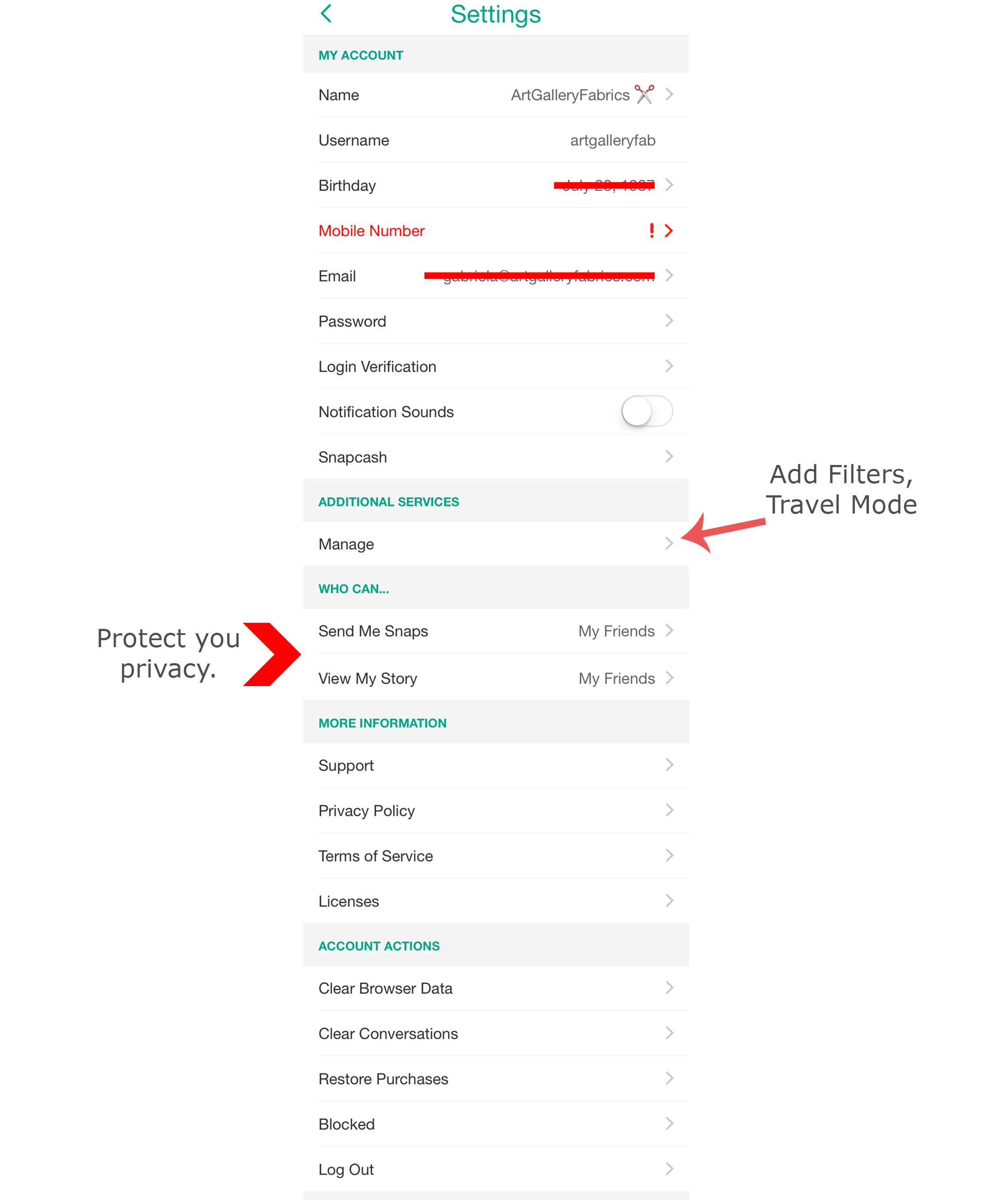
This is where you're able to view and add friends. (Remember to add us: ArtGalleryFab) You might want to click on the setting tab (see image 3, above for reference) to have an overview of your account, uncover some goodies, and protect your privacy.
(image 4)
Now let's move on to the fun stuff (YAY!)! Once on the home-screen, you can now take a picture or a video and can start editing your "Snap". This Snap can be sent privately to one person (or more) or can simply be added to your story. But, wait! What's a story? A Snapchat story, is all of your "snaps" combined in to a personal narrative that you can share with all of your friends. This is a fun way of summarizing your day full of sewing and giving your friends insights of what you are working on.
(image 5)
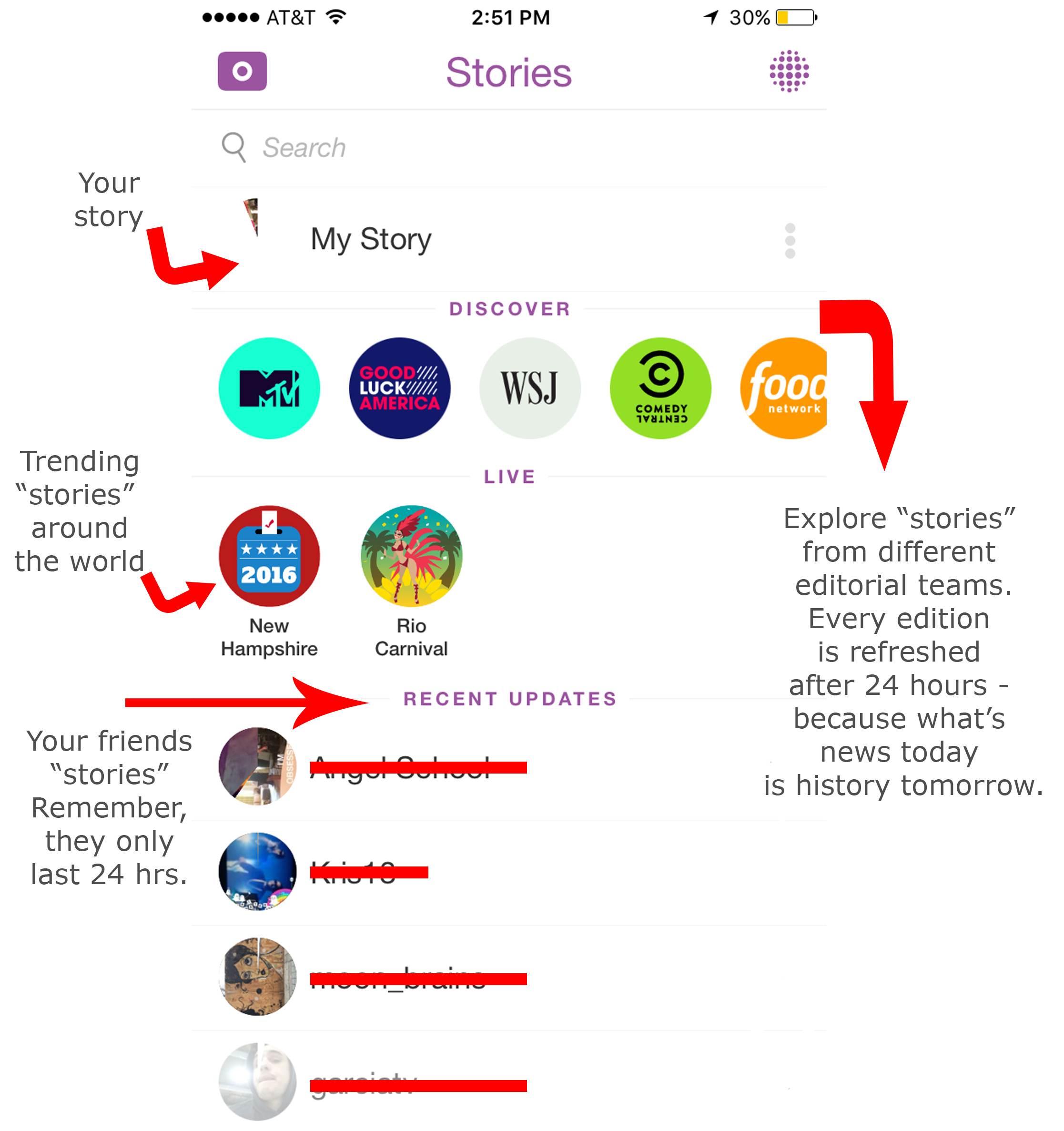
This is what the "Story" window looks like. In it you will find your story, stories by brands (this is where i get my daily news from), live trending stories happening around the world (curated by Snapchat), as well as, your friends' stories.
And if all this still sounds a bit to confusing, enjoy this short video by Joanna Stern for the WSJ, where she guides you through the app in a series of quick "snaps." You can also view the How-to guide Snapchat has written, that contain extensive explanations of each feature.
Can't wait to see you all on the Snapchat side, remember to add us: ArtGalleryFab and if you have some questions, or if things aren't clear, be sure to drop me a line in the comment section below and I'll be happy to point you the right way…
Until Next time,
XO
G


 Art Gallery Fabrics - The Creative Blog
Leave a comment